ResultDesk
Publish a spreadsheet as a private lookup. Upload a CSV of results and each student sees only their own row.
- Upload a CSV and publish it as a private lookup
- Each person sees only their own row
- Two-field lookup so roll numbers cannot be counted through
- Throttled against guessing, with no way to confirm which numbers exist
- Accepts any common date format
- Reads comma, semicolon and tab separated files
- Detects an Excel workbook saved with a .csv name
- Sample file included
- Scheduled publishing, to the minute
- Printable result sheet
- Note under each result for your own wording
- Shortcode and Gutenberg block
- Works with any theme
⚡ Instant download after payment · 🔒 Secure checkout by Razorpay
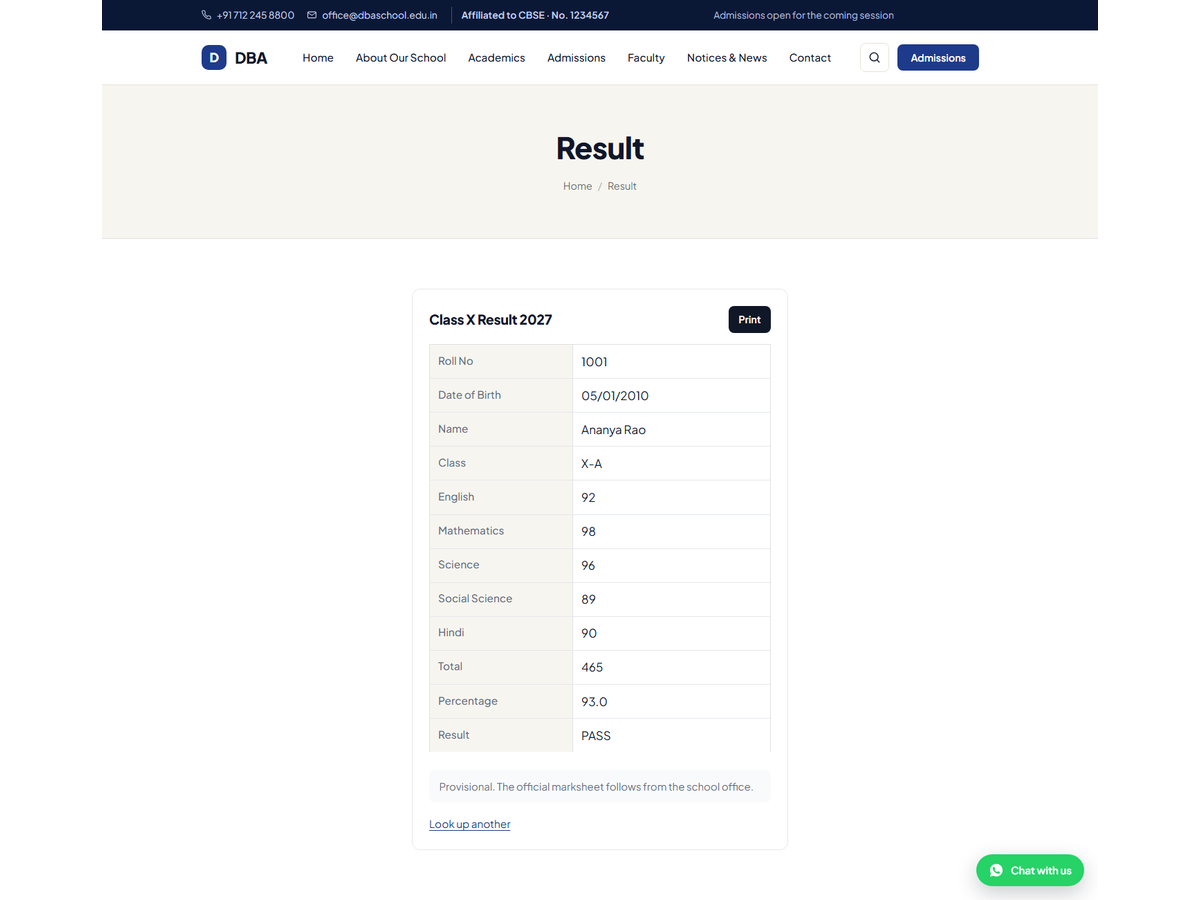
Upload a CSV of results and put a lookup form on a page. A student enters their
roll number and date of birth and sees their own row — nobody else's, and no
list anyone can browse.
Built for the day results come out
- Upload a CSV, choose which two columns identify a person, done
- Publish on a schedule, so the page goes live at nine on the morning it should
- A printable result sheet, without the rest of the website around it
- A note under every result, for "provisional, official marksheet from the office"
- Works for anything with a lookup key: merit lists, tender numbers, dispatch status
Why two fields, not one
Roll numbers run in sequence. With a single field, anybody can read the whole
school by counting upwards. Asking for a second detail the student already knows
closes that off. Lookups are throttled per address, and a wrong date of birth and
a roll number that does not exist give the same message on purpose — telling
them apart would let anyone confirm which roll numbers are real.
Dates the way people actually type them
The office exports 05/01/2010, a parent types 5-1-2010, someone else types
2010-01-05. All three match. Extra spaces and capitals are ignored too, so a
correct answer is never rejected over punctuation.
It reads the file your office actually produces
Commas, semicolons and tabs are all handled. A workbook saved with a .csv name
is spotted and explained rather than imported as nonsense. A sample file is
included so you can see the shape it expects.
Includes one year of updates and support.